

Showing all 2 results
-
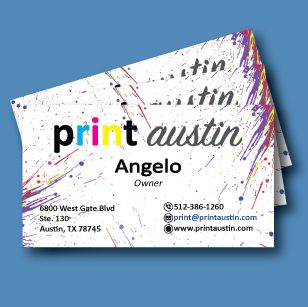
Soft Touch Business Cards
Order your soft touch cards today! We use a high quality soft touch velvet lamination as the final step to give you that soft, elegant feel! Choose from standard 16pt stock or a slightly thicker 18pt.
Please allow 3-5 business days for production.
Design Note: There needs to be a bleed for business cards with color to the edge. The correct template size for a business card is 3.75″ x 2.13″. There is also a “safe zone” that you want to keep text within, which is 1/4″ in making the safe area within 3.25″ x 1.75″. The final cut size will be 3.5″ x 2″. Please have the files sized for business card size. There will be a $20.00 fee if we have to edit the file, or resize it to fit correctly. There is a picture posted of the card guidelines, so take a look at the to make sure your card is correct. Please feel free to give us a call with any questions!
*PDF is the only file type that we accept for business cards.
-
Standard Business Cards
PLEASE ENSURE THE FOLLOWING BEFORE PLACING YOUR BUISNESS CARD ORDER:
-
Your card must be designed and set up within the proper guidelines. If there is full color or imagery to the edge, then the file needs to have a bleed margin of a 1/4 of an inch total (1/8 of inch per side). The final card size will be 3.5″ x 2″ with a pre-cut size of 3.75″ x 2.13″. This is mandatory for production. Details are listed below on how to have the correct margins, as well as a gallery picture showing the correct measurements.
-
Be sure to select the correct printing sides for your card. IE: Single Sided or Double Sided printed cards.
-
We only accept PDF files for print.
-
If the order is not placed correctly or if the file is not set up correctly, we will place the order on hold and contact you for the correct file.
-
Please reach out to us if you have any questions!
-
Card quantities are for 1 style of card, and can NOT be broken into multiple cards
-
(IE: An order of 500 cards can not be broken in to 2 different sets of 250. Each variation would need an order of 250 seperately)
Cards Designed on Canva: When downloading your file from Canva, you need to select the file type as “PDF PRINT”. Once PDF Print is selected a box will appear that says “Crop Marks and Bleed”. You will need to check this box before downloading. Once downloaded, you should be able to see the crop marks in the corners of the file. This is how you know it has been correctly set up and downloaded.
If you have the PRO version of Canva, you will want to select CMYK as the color type. CMYK is what printers use and RBG is for digital/computer screens only. RGB files will still work, but certain colors may look different printed vs. on screen.
RUSH EXCLUSIONS:
Rush orders are only avalaible on a single order of 500 or less. Quantites over 500 are excluded from the Rush option and are a 1 business day turnaround.
Rounded Corners and the 18pt Coated Matte paper option are also excluded due to these needing to be hand cut and hand rounded. These are 1-2 business days.
-